Test Automation Report
- Copy Page Tree
- Chandresh Patel
- Ben Hoffman
- Karl Henselin
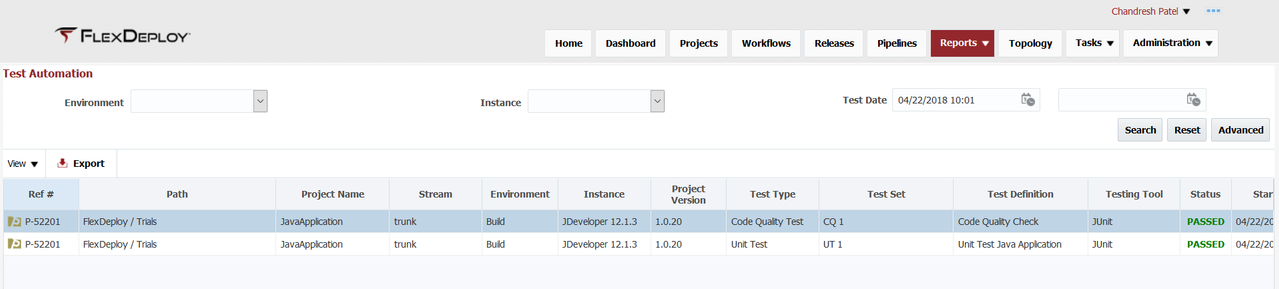
The Test Automation report provides visibility into results of all test executions performed across FlexDeploy topology. To filter the report, select Project, Environment, Instance, Testing Tool, Test Type, and/or a date/time range for Test Date, and click the Search button.
Report will initialize to Basic mode for test executions in past 3 months.
Result table details
Path is
- Fully qualified application name
Release and Snapshot
- Only present if deployment was done using Release
Ref #
- S - for pipeline stage execution and stage execution id
- P - for project request and workflow request id
- A - for application request and folder request id
Basic Search
| Search Field | Search Operator | Notes |
|---|---|---|
| Environment | Equals | Configured active environments |
| Instance | Equals | Configured active instances |
| Test Date | After, Before or Between | Test start time Depending on whether first, second or both values are provided respectively |
Advanced Search
| Search Field | Search Operator | Notes |
|---|---|---|
| Environment | Equals | Configured active environments |
| Instance | Equals | Configured active instances |
| Test Date | After, Before or Between | Test start time Depending on whether first, second or both values are provided respectively |
| Project Name | Contains Ignore Case | Project Name (not including path) |
| Ref # | Equals | Search for Project, Application or Pipeline Stage Execution id |
| Release | Contains Ignore Case | Release name, suggestions are provided as you type You can use partial or full Release name. |
| Testing Tool | Equals | Testing Tool |
| Test Type | Equals | Test Type |
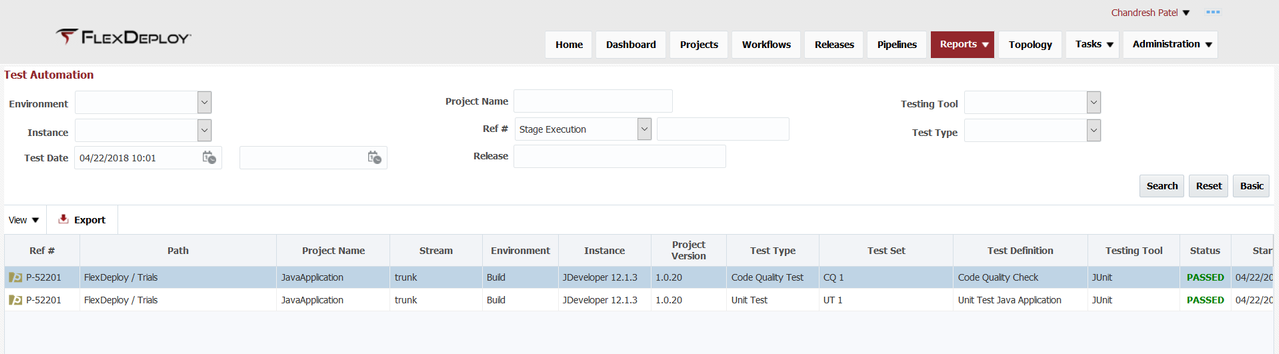
The reference number (Ref #) in the first column can be used to correlate data across reports. It refers to the project, application, or stage execution identification number.
- style